Signup - Free trial
- Click on the free trial button.
- Click on the sign up link to create a new account.
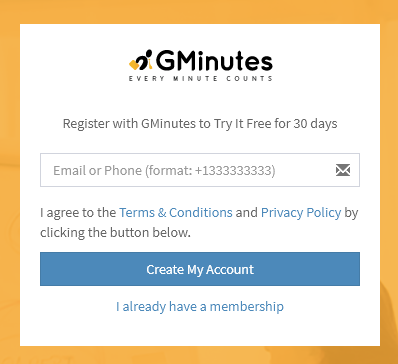
- Enter email address or phone number.
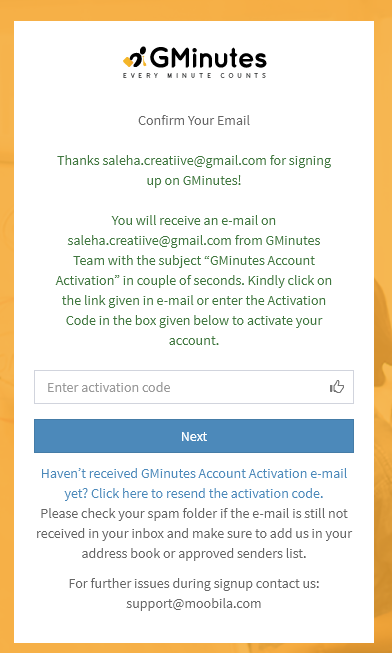
Activate Your Account
You will get an "Account Activation" and "Get Started with Gminutes" email/sms at your specified email address or phone number from the Gminutes team.
- Enter your activation code or just click on activation link from email/sms
- Set up your password once your code is verified.
Create Your Work Space
Work Space is a space provided to you where you can make various different groups, invite people, set roles for them and then schedule, write and track your meetings. You can be theowner of a single work space and at the same you can be member of as many work spaces as you are invited to. Gminutes provides a single work space to make use of all its attributes in a well defined manner.
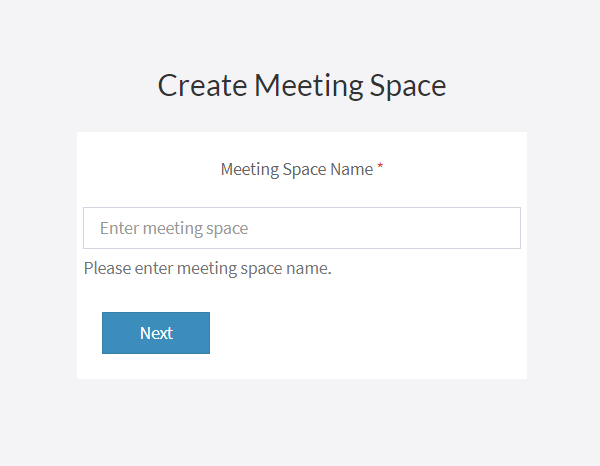
- Specify name of your work space and your account is created.
Subscription Plan
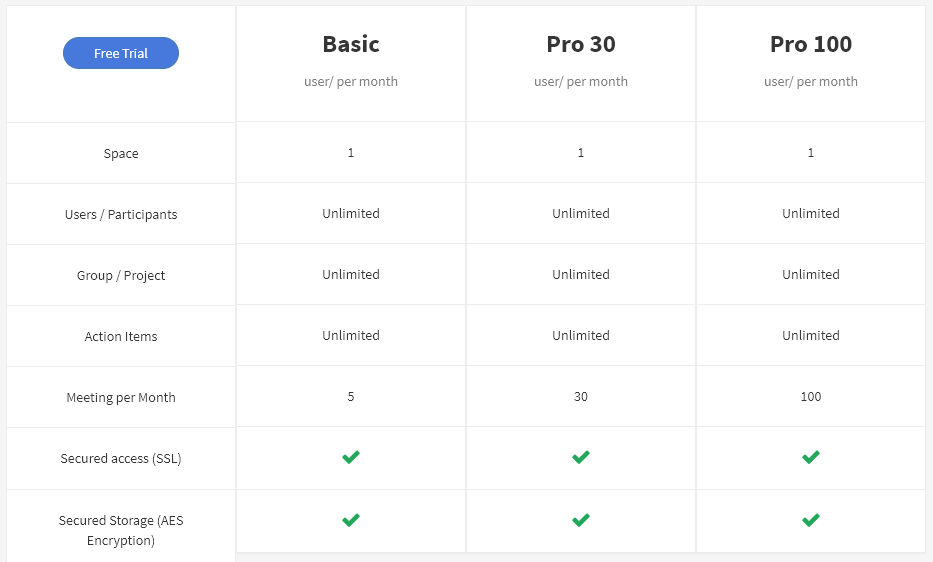
- Select the subscription plan best suited for you!
- Agree to the Terms & Conditions and Privacy Policy
- Press "Create My Account" to start creating your account
- You will get an "Account Activation" and "Get Started with Gminutes" email at your specified email address from the Gminutes team.
- Provide your Work Space name and click on Next then Welcome Screen will come
Note: If you are unable to proceed after pressing "Create My Account," check the highlighted errors with the asterisks, fix them and then press "Create My Account" again.